Kristina Schulz

Updated last week

Tailor your writing experience with this word processor

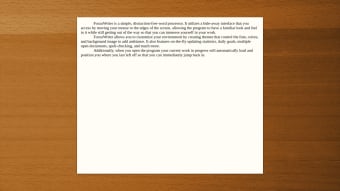
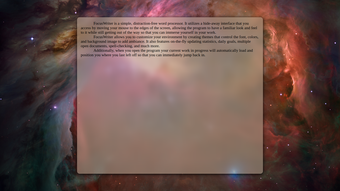
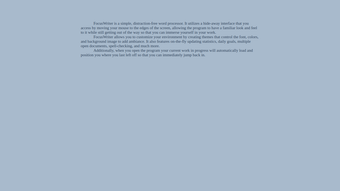
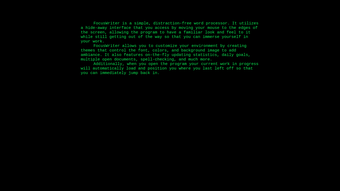
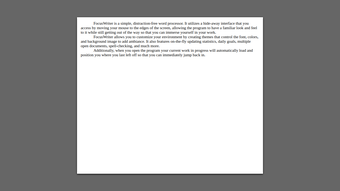
FocusWriter is a free business and productivity software created by Graeme Gott that offers a simple and distraction-free writing environment. This platform is designed to help writers concentrate on their work by providing a clean, minimal interface that hides all the menus and options away from sight. 

Top Recommended Alternative

With FocusWriter, you access its array of features by moving your mouse to the edge of the screen, which makes them pop up only when you need them. It keeps a simple look like other word processors — such as Google Docs — but when you're not using it, it stays out of sight.

Comprehensive goal-oriented tools

FocusWriter supports the most common text file formats used for writing. This means that users can open and save documents as plain text (.txt), Rich Text Format (.rtf), which retains basic formatting, and OpenDocument Text (.odt), which is used by many open-source word processors. This versatility ensures that writers can work with files created in other programs and that their work can be accessed by others outside the application.

Writers can set timers and alarms, which is especially useful for those who like to work in writing sprints or need to remember to take breaks. It also allows users to set daily word counts or time goals. Moreover, it comes with a spell-check feature so that users need not worry about spelling errors, and rather focus on the substantive quality of their output. 

This software puts emphasis on productivity and efficiency as it enables users to work on multiple documents at once and switch between them easily, which is helpful for writers working on several projects simultaneously. Furthermore, it expands accessibility for non-English speakers, with its 20 language options. It must be emphasized that the software only supports Windows, MacOS, and Linux-operated devices at the moment.

Keeping your writing goals on track

In conclusion, FocusWriter is a practical tool for writers who want to minimize distractions and stay focused on their writing. With its intuitive interface, support for multiple file formats, multiple language options, and other convenient features, it offers everything a writer needs to stay on track with their writing goals. Whether you are a professional writer or someone who enjoys writing as a hobby, this software is definitely worth a try.


Kristina Schulz

Kristina has professional experience in Europe, the United States, and Asia, specializing in communication and languages. She values adaptability in multicultural settings and brings this perspective to her writing. Her content reflects clarity, cross-cultural awareness, and practical expertise in connecting ideas through language.

  • Pros

    • Supports a variety of file formats
    • Spell-check tool
    • Timers and alarms
    • 20 language options
  • Cons

    • Exclusively compatible with Windows, MacOS, and Linux
 0/5

App specs

Also available in other platforms

Program available in other languages


User reviews about FocusWriter

3.6

7 reviews

Add review

Main reviews for you

  • Anonymous user

    I just read a review of this program elsewhere and it mentioned that there *was* a spell-check function under the Tools tab. It even showed a screenshot (F7 is the shortcut key).

  • Anonymous user

    Not a good app since it doesn't have most of the features with latest versions which is now available with any upgraded features.

  • Anonymous user

    Great piece of software that has increased my writing outpu by 150%. Well done people

  • Anonymous user

    The best word processing program ever!. The best word processing program ever! 99.9% of the time used for writing is simply writing, formating, adding pictures etc is the remaining 0.1% and that can be done in some other program.Per Cons: There are some problem to use the proof while you write function, if you don't like to use mouse (as I). F7 key can be used as alternative to right mouse-klick, it does not work without mouse. There seems to be a bug (in the Linux version only?)

  • Anonymous user

    Super-clean, attractive interface; great for journaling and pure writing . I use FocusWriter along with about 5 other word processors. With modern machines, you can easily have multiple word processors for different writing purposes. I use FocusWriter when I want a very clean, very attractive interface that is as simple and clean as possible. It also auto-saves files so that you don't lose work, which is a must-have feature for all my word processors. Another great feature is sessions, and particularly that when you close FocusWriter and reopen it, it restores you to *exactly* where you were when it closed -- the very same files are open, and the cursor is exactly where it was when you closed it. It's amazing this is not a universal feature in word processors. It takes literaly two seconds to to close FocusWriter, reopen it, and keep typing wherever you left off. This makes it a great program for journaling. Pros: reopens sessions exactly where you left offauto-save; very clean, pleasing interface Cons: only saves in TXT, RTF or ODT.basic features; focus is on pure writing.

  • Anonymous user

    FocusWriter, where have you been all my life?. I've been looking for a lightweight, no-nonsense writing program for a while that doesn't bog the user down with gratuitous features or unfriendly user interfaces. This is the fastest, most intuitive notepad replacement I've used. The customization options were exactly what I've been looking for. I can't rate this highly enough. Pros: very fast, user-friendly, customization is excellent

More

You may also like

Alternatives to FocusWriter

Explore Apps

Latest articles

Laws concerning the use of this software vary from country to country. We do not encourage or condone the use of this program if it is in violation of these laws.

Softonic

Is FocusWriter safe?

100/100

Score result: Clean

This file passed a comprehensive security scan using VirusTotal technology. It is safe to download.

  • Virus free
  • Spyware free
  • Malware free
  • Verified by Security Partners

    VirusTotal logo

Scan Info

Last scan
Monday, March 23, 2026
Scan provider
VirusTotal · Full report

File Integrity

File
FocusWriter_V1.9.0.exe
SHA256
d1f9e2d536f934ff96df2e34dac3c3042e140a309d2f9183db780fe6c315eef3
SHA1
26f5b05857f7a31a2ead3dc2750fdc56953b764d

Softonic security commitment

FocusWriter has been thoroughly scanned by our advanced security systems and verified by industry-leading partners. This file comes from the official developer and has passed all our security checks, showing no signs of viruses, malware, or spyware. For more information, visit our Security and Trust Center